Showing posts with label ios. Show all posts

Monday, October 28, 2019

LEGO STAR WARS BATTLES

video game

My kids as well as myself have had a lot of fun playing past editions of LEGO video games from Warner Bros. Interactive Entertainment with Star Wars themes. Up to now these video games have let you play through LEGOized recreations of scenes from the Star Wars movies and tv shows. So I was intrigued by news that a brand new LEGO video game is being released for mobile devices in 2020 that will let players go off script to create their own unique battles.

LEGO Star Wars Battles is a brand-new action strategy game designed specifically for mobile devices that blends iconic Star Wars characters, vehicles, and locations with LEGO toys in real-time, one-versus-one multiplayer battles. This video game will allow players to mix and match characters and vehicles from all eras of the Star Wars galaxy, building a deck of light side or dark side forces to battle in fast-paced, competitive matches. With intuitive touch controls, players will deploy troops and build LEGO towers on the battlefield to defend and capture territory as they attempt to destroy their opponents’ base.

Featuring content from all nine saga films, Star Wars: The Clone Wars, and Rogue One: A Star Wars Story, you will be able to collect iconic heroes and villains such as Luke Skywalker, Rey, Obi-Wan Kenobi, Boba Fett, and Darth Vader, along with characters such as Porgs, Stormtroopers, Battle Droids, and a variety of vehicles from AT-ATs to TIE bombers, and even the Millennium Falcon while building an army to compete against others online. As players progress and level up, different arenas will be unlocked based on familiar Star Wars locales, including Scarif, Naboo, Hoth, Endor, Geonosis, and more. This will be a strategic game involving both deck building and territory conquest as important aspects of winning competitive matches while also incorporating the comedic elements that LEGO video games have become known for.

This dad blogger thinks the game sounds like it will be lots of fun! My son and daughter are drooling at the chance to play this game. Now that my kids have their own iPads it looks like they'll be looking to take down their goof ole dad in some family matches playing LEGO Star Wars Battles.

video game

LEGO Star Wars Battles is coming in 2020 to the App Store and Google Play and will be available to download for FREE with in-app purchases. I'll be downloading LEGO Star Wars Battles to my iPad for sure! The head to head competitive nature of this game should be a blast! If you are as interested as my family is about this upcoming game, tune in to these social media channels for updates leading up to the release of LEGO Star Wars Battles:

Twitter: Twitter.com/LSWGame (@LSWGAME) 

Monday, October 10, 2016

Zoobe expands its app lineup with Hello Kitty products

Have you heard of the Zoobe app?   It is an innovative voice-messaging service for Apple, Amazon and Android mobile devices that allows you to record a message and have it communicated to others through a cartoon featuring a popular animated character synced to your voice.  These cartoons are quick to create and the Zoobe app connects to the world's leading messaging and social media platforms for easy distribution of your animated message to friends and family.  Animated characters you can choose to feature in your Zoobe messages include characters from the movies Hotel Transylvania, Ice Age, Ghostbusters, Paddington Bear, and The Smurfs, among other options. It's a pretty impressive app!


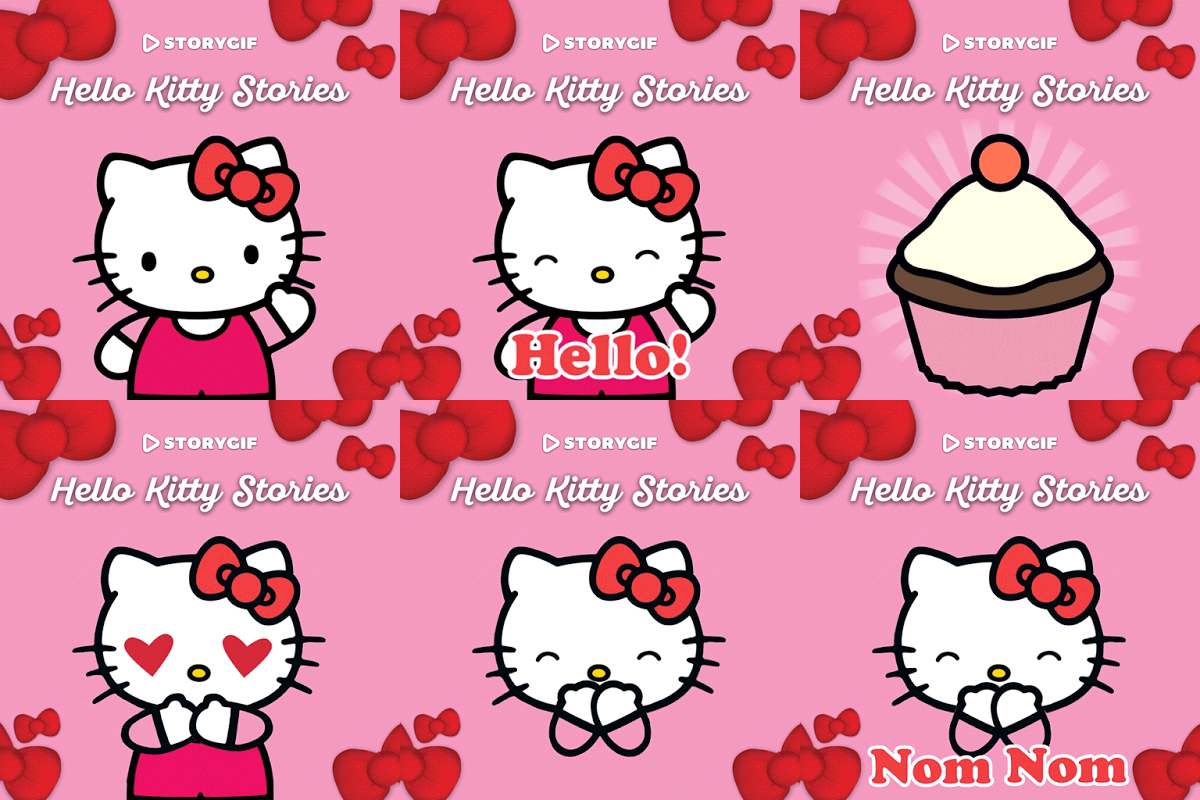
Expanding on the success of the Zoobe app, its developer has just announced a partnership to create a new series of digital products utilizing Sanrio GmbH's brands starting with HELLO KITTY. Under the deal, Zoobe Message Entertainment will create products featuring these globally beloved brands both in 2D and 3D animation. “Hello Kitty StoryGIF app” was the first product to result from this new partnership launching last week on iMessage, Apple’s long-awaited and stylish messaging platform that now includes stickers, apps and other fun features.  The Hello Kitty StoryGIF app allows users to select from over 50 adorable animations and multiple upcoming themes to create and text unlimited customizable and socially shareable StoryGIFs featuring Hello Kitty and friends. After its initial debut on iOS devices it is also now available for Android as well.

“Hello Kitty’s continued global allure to fans of all ages is astounding,” Zoobe Message Entertainment CEO Naz Amarchi-Cuevas told A Geek Daddy. “These quick-text GIF stories are snack-sized treats that bring Hello Kitty to life in a whole new way. They connect the brand via emotion and humor through playful story-telling with the expressive animations.”

“This new StoryGif app by Zoobe is like nothing currently on the market,” Egita Di Filippo, Head of Digital Content, EMEA for SanrioGmbH added to the discussion. “We are excited to be on the forefront of a new digital movement with Zoobe, who is leading the way in the marketplace; bridging the messaging world, consumer products and entertainment. Our fans are already in love with the  Hello Kitty StoryGIF app, and having as much fun as we did in the development of it, by spreading our company’s motto “Small Gift, Big Smile!” through animations in their messages.”

Zoobe’s next Sanrio StoryGIF apps are expected to feature Mr. Men & Little Miss, Gudetama, and Chococat in the coming weeks. Each app will be followed by themed packs to further contribute to the story creation.

Sunday, June 5, 2016

TRANSFORMERS: EARTH WARS

There is a new game available for iOS and Android devices featuring the TRANSFORMERS and I have to say its imagery takes me back to the 1980 toys and cartoons of my youth featuring these characters that transform between warrior robots and various types of vehicles.  Over the last 30 years there have been various updates and redesigns of the TRANSFORMERS in their Hasbro toy line, comic book series, movies and television shows; so I was wowed how in this app they resemble the original TRANSFORMERS of my childhood giving this real-time combat strategy game for mobile devices a cool retro vibe.  It even features the voices of the original Optimus Prime (Peter Cullen) and Megatron (Frank Welker) from the 1980s cartoon that first made the Transformers a pop culture hit. While TRANSFORMERS: EARTH WARS may be filled with iconic characters and classic imagery from the Transfomers Universe it also is full of the newest generation of features desired in video games for mobile devices, such as vibrant 3D animations, which makes it great to play for both kids and kids-at-heart.


Published by Backflip Studios (DragonVale, SpellFall, Paper Toss) and developed by Space Ape Games (Rival Kingdoms, Samurai Siege), TRANSFORMERS: EARTH WARS has players must choose to fight with Optimus Prime and the Autobots or Megatron and the Decepticons in a battle to decide the fate of planet Earth. Once allegiance has been sworn, gamers assemble a powerful team of playable characters, raid enemy bases for Energon stockpiles, and construct the Space Bridge to add reinforcements from Cybertron, all while playing in real-time against other players around the globe. The game is available now for FREE download on the App Store for iPhone, iPad and iPod touch, and on Google Play for Android devices. There are in-app purchases within the game that allow players to speed up getting through the stages of the game or to enhance the characters to improve the game play experience for people who are into going beyond free-mode in apps like this.

Friday, June 3, 2016

THE SECRET LIFE OF PETS: petMOJI Character Creator

Are you excited about THE SECRET LIFE OF PETS arriving at movie theaters on July 8, 2016?!  My kids have been drooling to see this movie since the trailers started popping up at theaters and on television last year.  Of course we're going to go see it!


While waiting for the theatrical release have some fun with ILLUMINATION'S The Secret Life of Pets petMOJI character creator.  Visit this special website where you can create a custom cartoon of your favorite pet.  Also keep an eye out for an app coming out soon for iOS and Android devices that will feature sticker packs and a custom keyboard. For more information, visit www.mypetmoji.com/


THE SECRET LIFE OF PETS story revolves around a Manhattan apartment building where a dog named Max has his life as a favorite pet turned upside down when his owner brings home a sloppy mongrel named Duke.  Max and Duke have to put their quarrels behind them though when they find out that an adorable white bunny named Snowball is building an army of abandoned pets determined to take revenge on all the happy-owned pets and their owners in their building.

Comedy superstars Louis C.K., Eric Stonestreet and Kevin Hart make their animated feature-film debuts in The Secret Life of Pets, which co-stars Jenny Slate, Ellie Kemper, Lake Bell, Dana Carvey, Hannibal Buress, Bobby Moynihan, Steve Coogan and Albert Brooks.  Illumination founder and CEO Chris Meledandri and his longtime collaborator Janet Healy produce the film directed by Chris Renaud (Despicable Me, Despicable Me 2), co-directed by Yarrow Cheney and written by Cinco Paul & Ken Daurio and Brian Lynch.

Friday, March 25, 2016

App provides tour of Detroit locations used in filming Batman V Superman movie

While I've been wanting to see director Zack Snyder's Batman V Superman: Dawn of Justice movie which is based upon the iconic super heroes of DC Comics lore because I've been following the adventures of these characters since watching their guest appearances on Saturday morning Scooby Doo cartoons as a kid, I'm also very excited to watch the flick to see how many local spots I can identify throughout the film.  The movie spent five months filming in Michigan using a film studio in Pontiac that I drive by all the time on my way to and from work and 40 remote locations that ranged from the Eli & Edythe Broad Art Museum on the East Lansing campus of Michigan State University to multiple locations within Detroit including the popular Hygrade Deli in the city's Corktown neighborhoods to the historic Detroit Public Library building in Midtown.  For those fans who want to explore the real life locations portrayed in the fictional world of Gotham City and Metropolis from the movie there is a new app designed for iOS devices that can help with that.


The Batman V Superman: Dawn of Justice mobile tour app from the Michigan Film & Digital Media Office debuted in coordination with the March 25, 2016 premiere date of the movie in theaters across the United States. The app features an interactive map that highlights 12 Detroit spots used for filming the Warner Brothers movie providing a summary about the Batman V Superman scene shot at the site and information about the real world location.  Movie fans and travel enthusiasts visiting Detroit can utilize the app, created by Grand Rapids-based Mutually Human, to take a self-guided tour exploring all the locations from Batman V Superman scenes shot in Detroit.  While using the social media functionality of the app you can earn rewards and unlock features while taking either a virtual or physical tour of the featured Detroit filming locations.


The Detroit locations featured in the app include the Fort Street Financial District (Downtown Metropolis), Guardian Building (Wayne Building in Gotham), World Trade Center (Wayne Building in Metropolis), Russell Industrial Center (Boat Yard), Masonic Temple (Diana's Hotel), Belle Isle Bridge (Washington D.C.), Ransom Gillis House (Abandoned House), Detroit Public Library (Museum Gala), Michigan Central Train Station (Abandoned Gotham Building), Old Wayne County Courthouse (Washington DC), and Hygrade Deli (Raffi's Restaurant).  In addition to the tour features of the app, users can also view video segments and photos from the movie and utilize the camera function to take your own custom Batman V Superman themed photographs.


To download the FREE app that is available for Apple devices visit batmanvsupermantour.com

Monday, June 29, 2015

Enjoy Television Shows & Movies On Your Own Schedule With Xfinity TV Go App

**Disclaimer** I have been provided a complimentary subscription to the Xfinity TV Go app and access to the Comcast cable programming lineup as part of the Xfinity blogger reviewer program. Opinions expressed are my own. #Xfinityreviewer


The days of having to sit in front of your living room television at a dictated time to make sure you didn't miss your favorite TV show are long gone!  With the TV Go app customers of Comcast #Xfinity service can watch the television shows and movies available through their subscription package whenever and wherever they want via a mobile device.  I tested out the Xfinity TV Go app the last few months and it was so nice and convenient to be able to enjoy television shows and movies on my own schedule.


To get a parking space when picking up my kids from elementary school ( our district eliminated busing to balance its budget and our kids live more than 2 miles away from the building ) you really need to arrive a half hour early before classes are dismissed.  I often pulled out my iPhone while waiting for their class to get out during the school year to catch up on television shows I missed when they originally aired.  Streaming on T-Mobile worked great providing  a crystal clear picture without any data loading hiccups.  I have an unlimited data plan with my smart phone plan so I wasn't concerned about the cost of streaming; but I'd recommend you understand your own plan's limitations before using this app because data charges may apply for accessing Xfinity content through your mobile phone company depending on the service agreement you have with them.  Another nice feature about using this option in my car was that through bluetooth connectivity I was able to project shows' audio through my vehicle's speakers to enjoy a great sound experience while watching them.  I didn't mind hanging around in the parking lot waiting for my kids to get out of school so much thanks to the Xfinity TV Go app to help me pass the time.


When using the app around the house we used our home wi-fi which tended to work just as well as streaming through our phone service's data plan. We don't have a television in our master bedroom and my wife spent some time recently recovering from having her tonsils removed so she used the app quite a bit for awhile.  The TV Go app was really great in keeping her from going stir crazy while she was bed ridden for a few days.  I have to admit enjoying some shows and movies myself from the comfort of bed too when I was feeling too tuckered out to want to stay up and see them from our living room couch. After giving the kids a bath and putting them to bed did I really want to go back downstairs on a Sunday night to watch "Game of Thrones?" Thanks to TV Go that wasn't a decision I had to fumble around with during Season 5.


Convenience really is where this app comes in handy.  I've used it a lot as an outside television via my iPad on the backyard deck.  The kids and I have really enjoyed watching Detroit Tigers games on nice warm summer evenings.


I've also enjoyed coming home from work for lunch on a nice afternoon to eat on the back deck while watching an episode of one of my favorite shows American Pickers.


During March Madness, I had the basketball games on my iPad in the kitchen while helping my wife out with making family dinners and cleaning up so I wouldn't miss a minute of action.


You can select to watch shows LIVE that are available on your Xfinity channel package or anything that is viewable via On Demand whenever it is convenient for your own schedule.  Going on a summer family trip and want to have accessibility to your Xfinity programming to keep yourself or your kids amused on a rained out day or during a long car or plane ride? Another nice option is you can download TV episodes and movies through the app onto your phone or tablet so they can be viewed later without being dependent on wi-fi or a cell signal.  For those times when you are looking for a quick way to keep children occupied there is also a nifty feature that provides a tab in the menu options which provides a directory of some of the most popular Xfinity programming that is "family friendly" and suitable for viewing by young children.  For extra protection you can create a pass code and enable parental protections that block content you don't want your kids to get access to.


The TV Go app is available for Android and iOS devices and is a benefit of being a Comcast Xfinity subscriber.  This service gets A Geek Daddy nod of approval for its accessibility, convenience and dependability.  For more information on Comcast Xfinity's products and services please visit www.xfinity.com.

Saturday, March 14, 2015

Topps promotes digital Star Wars trading cards with new ios app

For those folks who would enjoy the fun of collecting Star Wars themed trading cards without the hassle of having them pile up around the house, Topps recently introduced STAR WARS: CARD TRADER on the Apple App Store for iPhones, iPads, and Ipod touch which it bills as the "official Star Wars trading card app."  Star Wars: Card Trader provides the opportunity to collect digital reproductions of the physical Topps card board collectibles that have been produced for the upcoming The Force Awakens movie as well as those previously distributed from the original and prequel Star Wars films.  There will also be cards featuring characters, scenes and vehicles from the animated television shows Star Wars: Rebels and Clone Wars. This Star Wars effort ties into fan enthusiasm for the December film premiere of Episode VII and follows the company's success with a similar app for baseball cards for iOS devices BUNT: The MLB Digital Baseball Card Trading Game.

Star Wars: Card Trader can be downloaded for free.  One free pack of trading cards can also be opened every day once the app is downloaded.  For those who want to build larger collections credits can be purchased ranging from .99 cents for 3,000 credits to $100 for 900,000 credits.  What you can purchase with credits in the "Cantina" will vary from a basic pack of trading cards to unique exclusives.  Plus collections can be built by trading cards with other app users from across the country and around the world with a feature called "Trading Like a Jawa."


 “In the same way that digital media is transforming reading books, listening to music and watching television, Card Trader is revolutionizing Star Wars collecting,” said Michael Bramlage, VicePresident of Digital at Topps in a press release to A Geek Daddy blog. “Your favorite characters, vehicles and locations from the Star Wars universe can be collected and traded on your iOS device, from anywhere at any time.”

Here are a few of the features of the app #Topps promoted in its press release launching Star Wars: Card Trader:

 The First Cards From Star Wars: The Force Awakens: BB-8, Poe Dameron, Kylo Ren, Rey and other recently announced new characters from Star Wars:The Force Awakens are here! Go to the Cantina and blast open packs to try to find these exciting new cards, all released in vintage-inspired “Star Wars‘ 77” blue and red border designs.


Trading Like A Jawa: The Star Wars: Card Trader app is like a 24/7 Star Wars card convention that you can take with you anywhere you go. Meet real people, make friends, complete trades and build your collection with confidence using features like 9-for-9 trading and Trader Ratings to highlight your trading partner’s trustworthiness.


Classic Re-Releases: Only Topps brings you over 30 years of official-licensed Star Wars trading cards in new, high-definition digital format, from the vintage era to today.Haven’t collected cards in a while? Check out Topps’ state-of-the-art Parallax and Motion cards, innovations that could never have existed in cardboard!


The App Store description notes that there will be more than 1,000 officially-licensed Star Wars digital cards featured with some including futuristic special effects and enhancements.  CLICK HERE to download Star Wars: Card Trader.


This seems like a nice app to have some fun and goof around with, especially for casual collectors. I'd recommend if you are having your kids play with it that you make sure your parental control features are turned on and in-app purchases turned off though.  You'll probably want to stick with physical trading cards though if you are looking to pick up movie mementos, a long term collectible, or want some items you can use as potential financial investments. 

So while this app obviously isn't for the serious collector it does bring back trading cards to the attention of today's kids who are more interested in flipping through their tablets and smart phones than grabbing a piece of gum and some trading cards from a grocery or toy store checkout lane.  From a nostalgic perspective, as a kid myself that had shoe boxes full of Topps' Star Wars and baseball trading cards, it is nice to see the tradition of children and teens collecting trading cards for fun continue into future generations through the products changing with the times.  Most young people aren't collecting these things to try and make a profit off them someday and this digital app caters to those fans.

Saturday, March 7, 2015

Picture Yourself as a Disney Character with new Show Your Disney Side App


Transform yourself up as one of your favorite Disney characters through a new free virtual reality app available on iTunes.  Snap a selfie and you'll be pictured as a Star Wars X-Wing pilot, a zombie pirate, villains like Maleficent or Captain Hook, or one of the princesses from Frozen among other Disney characters. The app features four selections of characters you can choose from: Frozen Fun, Star Tours, Pirates of the Caribbean, and Villains of Disney Parks.  Plus you can unlock a fifth option with characters from the Haunted Mansion by visiting either Disneyland Resort or Walt Disney World Resort, or by sharing three of your Show Your Disney Side app creations with friends and family.

My kids and I had some fun playing with this app and were really impressed by the representations on the screen of my iPhone.  The images have a mirroresque appearance to them that make them look like a real time video of yourself versus a static photographic.  There are a number of costumes, background scenes, and special effects you can play with as well.

My daughter showed off her #DisneySide by portraying Anna from the Frozen Fun section, a Pirate Lady from Pirates of the Caribbean, and Maleficent from the Villains of Disney Parks.


My son enjoyed seeing himself as Captain Jack Sparrow, Kristoff from Frozen, and  as an X-Wing pilot.


So how do you think I look as Darth Maul, Jafar, and a zombie pirate?


Here are a few tips on using the app:
  • Smile big – but without your teeth showing.
  • Make sure your hair isn’t blocking your face.
  • Try to take your photo in front of a plain background.


Note that while this is an ios app it doesn't appear to work on iPads just iPhone and iTouch devices.  It also doesn't appear to be available for Android and is exclusive to Apple devices at this time.

This app is completely FREE, no in-app purchases to worry about here, and fun to play with for kids and adults alike.  Have a blast showing your Disney Side and if you tweet your images generated from the app to @Geeky_Dad we'll RT them to share with all our A Geek Daddy followers.

CLICK HERE to download the #FREE Show Your Disney Side App.

Monday, January 19, 2015

Make Art with the Pups from PAW Patrol


Coloring and doodling are one of my kids favorite activities so they were thrilled when Nickelodeon rolled out a new creative drawing and artwork app featuring characters from a show they adore called PAW Patrol.  Available for $3.99 on ios devices (iPad, iPhone, iTouch) the PAW Patrol Draw & Play app allows kids to use their imaginations in making some PAWsome creations that can feature their favorite rescue pups - Chase, Marshall, Rocky, Rubble, Zuma, Skye, and the newest pup to join the show Everest, plus the boy who serves as their leader, the tech-savvy Ryder.

PAW Patrol Draw & Play lets children select a background with themes from the show and they can place stickers of the characters and their rescue vehicles on the create their own creative scenes.  What is nice about these stickers is that they are animated and include sound effects to enhance your child's play with the app.  Additional special effects that can be used for creating Paw Patrol themed illustrations or just monkeying around creating your own drawings include magic wands where the lines you create have special properties (green turns into blowing leaves/ black transforms into flying bats / grey has sparkling stars / red has leaping hearts / orange has twirling fruit), bouncing balls that rebound around the frame of your picture and can be controlled by tilting your device in the direction you want the objects to fly, and surprise blocks that if you tap on them they show a special animation of one of the pups in action.


This app expands beyond just the PAW Patrol theme too...if your child wants to be creative and design their own unique master piece it provides plenty of tools for them too.  Chalk, crayon, highlighter, charcoal, pencil, spray paint, and paint brush are all options to allow children to express their imagination.  A nice touch is that you can utilize your device's camera to add your own photos into creations for extra personal touches.  Saving artwork is no problem either with the ability to either save to "My Gallery" section within the app or send the image to your device's Camera Roll where it can than be text, messaged, or e-mailed to where ever or who ever you'd like it to go.


PAW Patrol Draw & Play gets A Geek Daddy nod of approval because it allows children to explore their imagination not just through its connection to these popular rescue pups but also via the creative art tool elements of the app which are good enough that they could be a stand alone product. The list of drawing tools that range from charcoal to magic wand to spray can all work really well and are very impressive.  My kids spent a bunch of time both playing out their own PAW Patrol episode scripts with the show themed backgrounds and stickers as well as making artistic creations that had absolutely no connection to the Nickelodeon series.  What is nice about this app is it really isn't a mindless game where kids are running through a course, shooting at things, or gathering objects but rather an opportunity to stretch an important muscle, their brain, as they think out scenes to display featuring the pups (note scenes they create are two dimensional and while they have animated special effects don't contain video or dialogue story telling sequences) or design drawings, paintings and illustrations for grandma and grandpa to display on their fridge.  PAW Patrol Draw & Play is well-suited for preschool through first graders and can occupy hours of a child's time making it perfect for a rain day or a long road trip in the car.


Some of the key features to be aware of:
  • Easy to use interface with 8 different brushes for drawing and painting;
  • 22 Animated Stickers;
  • Splatter Tops, Magic Wands, and Surprise Blocks to create amazing effects in your pictures;
  • eCards to customize and send to friends and family;
  • Picture ideas to help jump-start your child's imagination;
  • Animated Tutorials;
  • Airplay;
  • Parental Controls.


PAW Patrol stars a pack of heroic rescue pups.  Together they work hard to show the people of Adventure Bay that "no job is too big, no pup is too small!"  In partnership with Spin Master Entertainment, the series features a curriculum that focuses on citizenship, social skills and problem-solving.  PAW Patrol is the number-one preschool series on Nickelodeon and airs weekdays at 12 p.m. (ET/PT).

DISCLAIMER:  I received this app complimentary from the developer to review but did not receive any financial compensation for this post.  The views and opinions expressed in this post are my own.

Saturday, January 10, 2015

This may be the Droid you are looking for

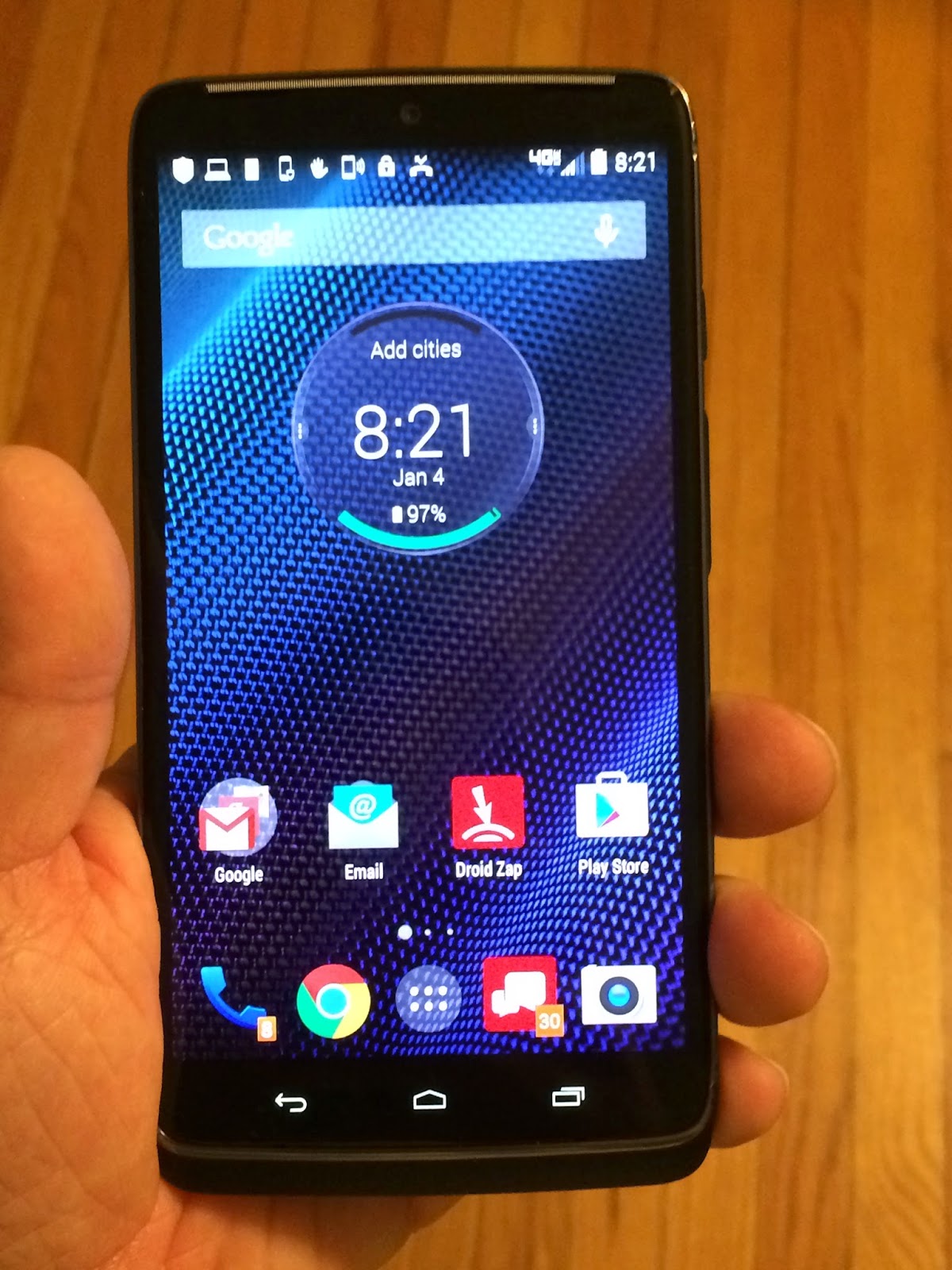
I'd have to describe our family as walking on the Apple side of life as my wife and I both have iPhones and iPads, most of our songs and movies are downloaded off of iTunes, and my kids' favorite games and educational tools are from the App Store.  That being said, I still like to stay up to date on the functions and features provided by competing brands.  So I appreciated that the folks at Verizon loaned me the new Motorola DROID TURBO smart phone and provided access to their 4G LTE wireless network over the holiday week between Christmas and New Years to see how androids compare.  I have to say we had a pretty positive experience and if you are in shopping mode for a new phone this may be the droid you are looking for.

The Motorola Droid Turbo has a great big screen which is especially great if you enjoy watching video, playing games or just appreciate your type and images being bigger and easier to see; yet the phone really isn't that bulky so it doesn't feel like you are carting around a tablet with you.  For an HD display though I wasn't that impressed by its graphic capabilities when it came to the touch screen applications or surfing the net, but the screen images when you turned on the 21-megapixal camera where very impressive and made me go wow! - especially when I held up my iPhone5S and compared the capabilities next to one another.  Just don't try to take quick shots with the Droid Turbo as it has a second or so lag time for the camera to adjust to give a good crisp HD image.

We used the smart phone to call my brother up who lives on the other side of the country from us in Seattle so my kids could say thank you for their Christmas presents he had mailed to them and I could catch up with what he has been up to lately.  The sound quality using the Motorola DROID TURBO and Verizon's 4G LTE wireless network was exceptional...it sounded as if my brother was sitting right next to us when we were talking to him with no static or lag time although he was more than 2,000 miles away from us during our conversation.  You can tell from seeing the phone in my 6 year old daughter's hand that it has a big frame yet it really isn't bulky or heavy to hold and it is impressive how much of the front of the phone is covered by the screen rather than casing.  If you have kids who are rough with your gadgets or if you  may be clumsy like myself, you may also want to take note of the protective elements they have incorporated into this smart phone.  Motorola has added Metallized Glass Fiber to add strength to the phone's body and also reinforced it with DuPont Kevlar fiber for increased durability.  A water-repellent nanocoating has also been added to protect against spills or getting caught out in the rain although that still won't protect the phone if it were to be say dunked in a toilet or dropped in a lake.  Still a little protection from every day mishaps is better than no protection.  Another nice protective touch added to the Droid Turbo is scratch-resistant Corning Gorilla Glass 3 which guards the 5.2 inch Quad HD display on this smart phone.  With all these features you may be able to avoid having to add a bulky protective case to safeguard this phone and who doesn't hate adding those on to their phones?!

A few other features I appreciated and wanted to point out.  The Droid Turbo has great battery life and I only had to recharge it twice during a week of use.  It has a nifty feature that is really convenient called turbo charging which will give your phone 8 hours of power within 15 minutes of plugging it into an electrical outlet.  It can be torturing when you are in a hurry and need your phone charged and that bar just doesn't move....with this device bing bam boom you are powered up and ready to get back into the world. Another "turbo" feature of this smart  phone is its 2.7 GHz quad core processor which allows for switching between functions with no lag time as I pleasantly was able to quickly flip between my Google calendar, a phone call, my e-mail and the web during a work conversation without any freezes, hitches or hiccups as I multi-tasked through the applications. Awesome! I often find myself having to search my calendar, look for an email, or research something quickly on the web when I'm on the phone so I need a device that has the processing power to let me run multiple features at once and the Droid Turbo absolutely met that criteria for me.

I don't know if it is from familiarity or convenience, but ios still seems a more comfortable fit for me when it comes to an operating system.  There are little nuances with android that just irk me so for the time being I'm sticking with my iPhone; but if Apple keeps issuing ios updates that tend to throw off my enjoyment and the ease of use of their products than I may one day be looking for a droid myself.  If that time comes, I'd have no qualms about picking myself up a Motorola Droid Turbo after my recent test run with the product. 

Disclaimer:  the opinions and views expressed in the post are my own.  A Geek Daddy Blog did not receive any financial compensation from Motorola or Verizon for this post.  I was provided the use of a Motorola Droid Turbo and access to the Verizon wireless network at no charge for three weeks to test and review the phone and Verizon's service.  I am currently a customer for my own personal wireless service with another provider.

Wednesday, July 23, 2014

Brian Wood's "Star Wars" Comic Book Series is iBooks Pick of the Week - Download FREE Digital Comics

This week ios & Mac users can download Star Wars Volume 1: In the Shadow of Yavin for FREE on Apple's iBook platform.  Each week iBook selects a great book and provides it for free as its Book of the Week.  In honor of Comic Con taking place this week and next month's conclusion of the Star Wars comic book monthly series published by Dark Horse Comics and scripted by author Brian Wood, iBooks has selected the graphic novel compilation of the title's first six issues.  The Star Wars comic book series tells original tales set between the movies Episode IV A NEW HOPE and Episode V THE EMPIRE STRIKES BACK with an artistic tone that pays homage to the feel and vibe to the franchise's original trilogy of movies.

Star Wars Volume 1: In the Shadow of Yavin

After the destruction of the Death Star, the Rebels are hounded by the Empire.  Suspecting a spy in their ranks, Princess Leia forms a secret X-wing squadron - which includes Luke Skywalker - to expose the spy and find a safe home.  Meanwhile, Han Solo and Chewbacca are sent on a covert mission.  Star Wars Volume 1: In the Shadow of Yavin collects Dark Horse Comics Star Wars #1 - #6 and the Free Comic Book Day 2013 issue. 

I've personally purchased every issue of this Star Wars series during its run and have look forward each month to picking up and reading the newest issue.  I'll miss this series when it concludes next month as Dark Horse wraps up its Star Wars publications and the comic book license reverts to Marvel, who originally had it in the 1970s and 1980s.  If you are a nostalgic fan of the original Star Wars trilogy of movies, you will enjoy this comic book series that provides a modern update to the imagery but has an old school Star Wars  interpretation of the characters and their stories.  If you haven't read these comics this iBooks offer is a nice jumping off point to start, and if you can also read  this graphic novel without having to pick up the other issues in the series to enjoy it.  Though you probably will get hooked and want to keep reading the rest of the series stories!  ... and if you have already been reading Brian Wood's Star Wars than this is a nice addition to your collection that can be stored on a PC, laptop, tablet or smart phone for reading.

To download a FREE digital edition of STAR WARS VOLUME 1: IN THE SHADOW OF YAVIN visit the iBook store or CLICK HERE.